
Shared WhatsApp inbox
Multi-agent WhatsApp: your whole team on one business number
Stop passing one phone around the office. TeleChat AI connects your number to the WhatsApp API so every agent replies from their own login, with automatic chat assignment, full history and real-time supervision.
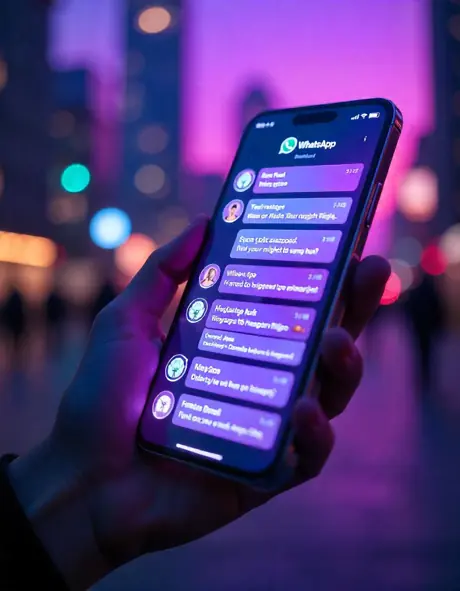
Why teams switch to multi-agent WhatsApp
One number, unlimited agents
Your whole team replies from the company WhatsApp number, each with their own user and permissions.
Automatic assignment
Route conversations by shift, department or workload so no customer is left waiting.
Unified inbox
WhatsApp, Instagram, Messenger, Telegram and web chat on one screen with a single customer history.
Internal notes & tags
Collaborate inside the chat without the customer seeing it. Tag, prioritize and transfer in one click.
AI answers first
The AI chatbot handles common questions and hands off to a human with full context when needed.
Per-agent analytics
First-response time, resolved chats and sales per agent so you can measure and improve.
Get started in 3 steps
Connect your number
We link your number to the official WhatsApp API and guide you through verification.
Invite your team
Create users, departments and routing rules in minutes.
Turn on AI
Train the bot on your business so it qualifies and resolves before handing off.
Built for
Sales
Several reps closing deals from the brand number, tracked in the CRM.
Customer support
Rotating shifts, tickets and department transfers without losing the thread.
Clinics
Front desk books appointments while AI answers hours, prices and directions.
E-commerce
Order status, exchanges and returns routed to the right team.
Frequently asked questions
What is multi-agent WhatsApp?
It lets several people use one WhatsApp Business number at the same time. Each agent logs into TeleChat AI with their own account and handles the chats assigned to them, from a browser or phone.
How many agents can share a number?
Professional and Enterprise plans have no per-number agent limit, so your team can grow without changing numbers.
Do I need the official WhatsApp API?
Yes. We use the WhatsApp API so your number stays stable and compliant with Meta policies, and we guide you through the setup.
What happens to chats when an agent leaves?
Nothing is lost. Conversations belong to the company, not to an agent’s phone, and you can reassign them instantly.
Keep exploring
AI chatbots
Natural 24/7 answers in text and voice, trained on your own business content.
Learn more →CRM with automation
Kanban pipeline, tickets and automations wired straight into your chats.
Learn more →Bulk messaging
Segmented campaigns with approved templates, sequences and read tracking.
Learn more →Integrations
ChatGPT, Claude, Gemini, Google Calendar, Sheets, My Business, ElevenLabs and webhooks.
Learn more →Turn every chat into a sale
We’ll show you TeleChat AI running on a real use case from your business. No commitment.